Invitations · RSVP · Seating · Memories
Your whole wedding, in one calm place.
Svatovi brings together QR invitations, RSVPs, seating, budget, gifts, tasks and guest photos — into one elegant app with its own public page.
- Organizing is completely free
- No credit card
- Set up in minutes
- Works on any device
Features
Everything you need, in one place.
Instead of dozens of apps, spreadsheets and group chats — one tool that takes care of every detail of your day.
RSVP and QR invitations
Every guest gets a personal link and QR code you can style and print. Confirmations arrive in seconds, no group messaging.
Seating planner
Drag-and-drop seating chart, with export to PDF or image, ready for the venue
Photo gallery
Guests upload photos and video from their phones, and you decide what's visible.
Expenses and budget
Expenses by category and vendor, with paid amounts, deposits and the remaining balance in one place.
Gifts
Record who gave what, with notes and a live total.
Tasks
A to-do list with deadlines and highlighted overdue items — so nothing slips through.
Invitation studio
Compose the front and back of your invitation, with templates, fonts and export, similar to Canva
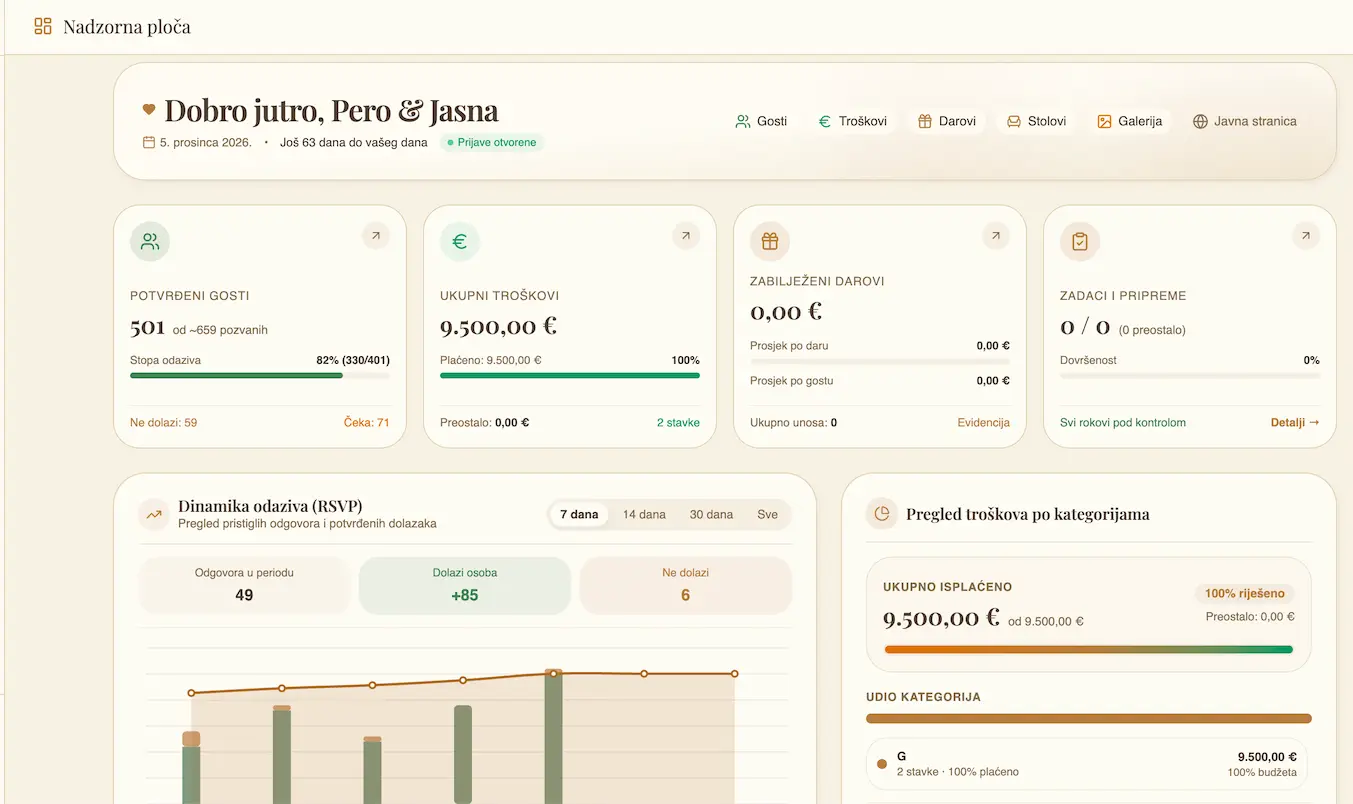
Dashboard
Responses, budget, gifts and memories in one overview, with a countdown to the wedding.
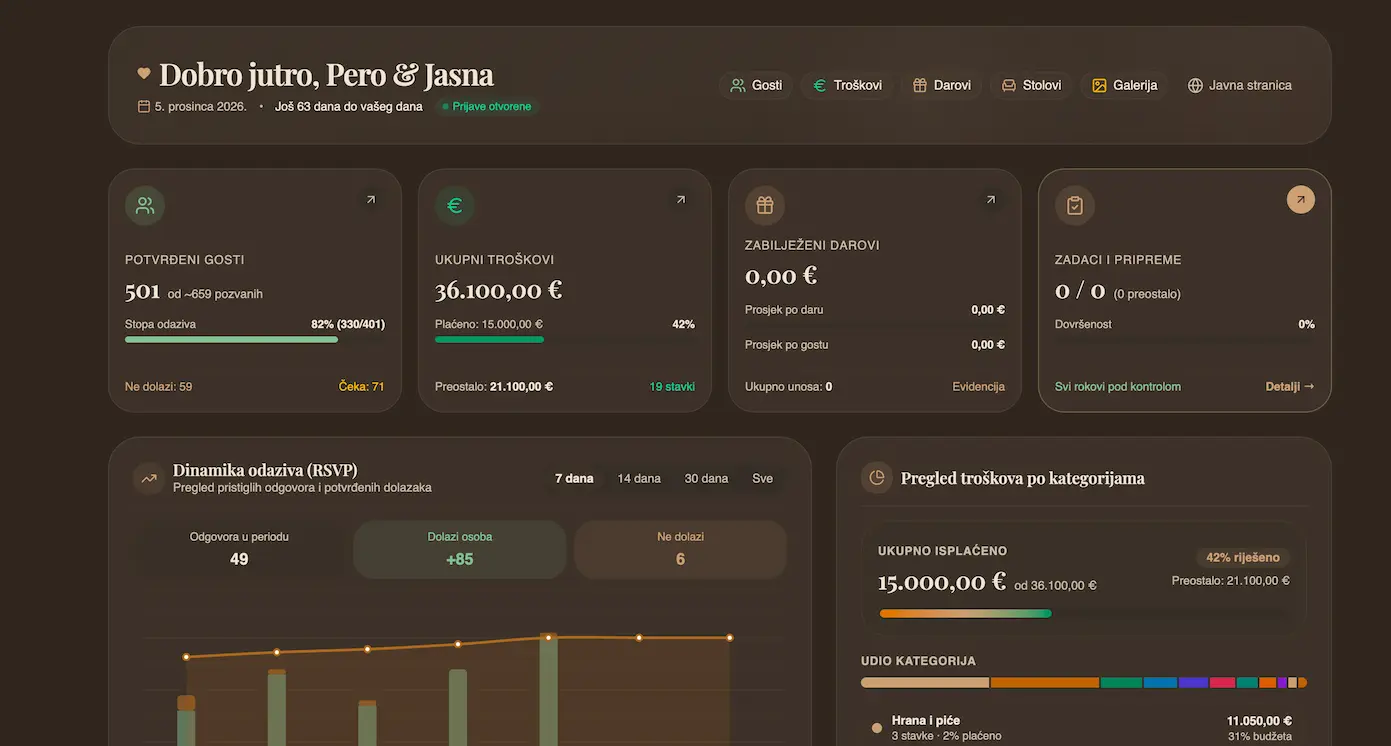
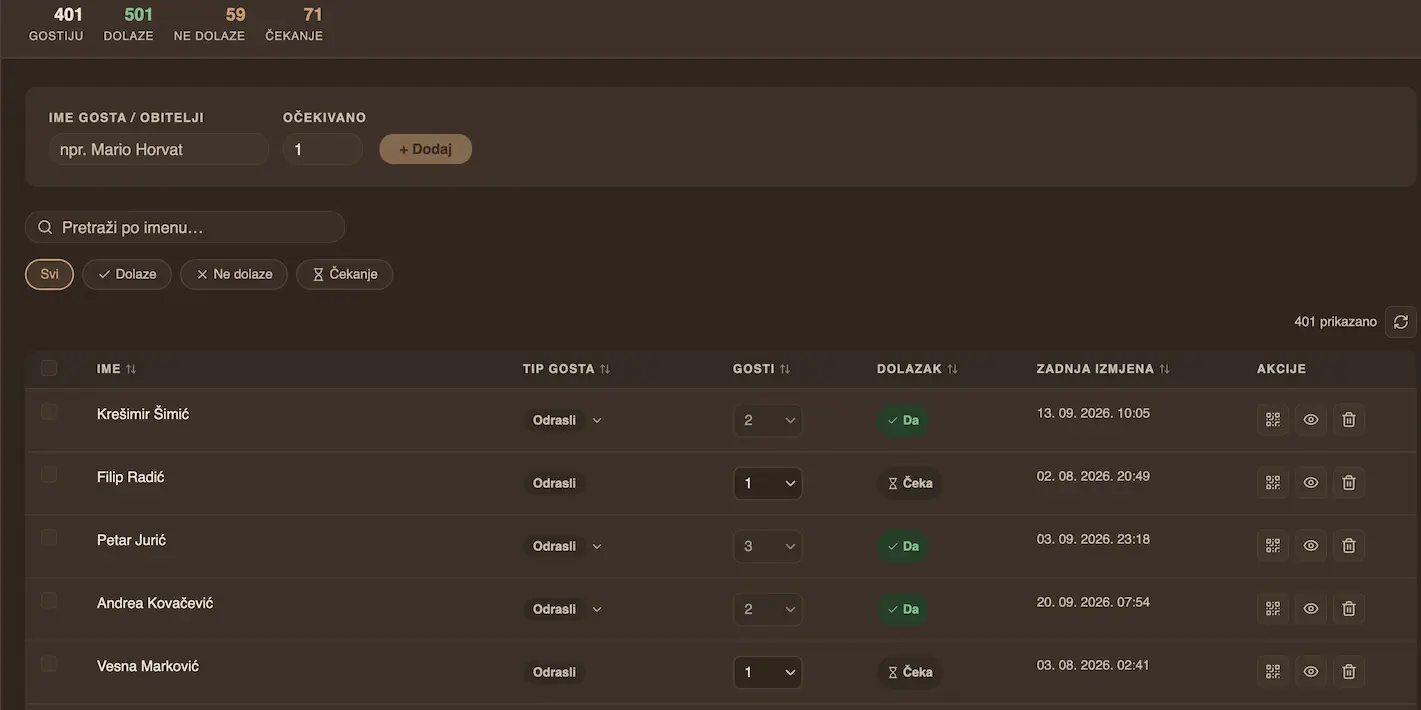
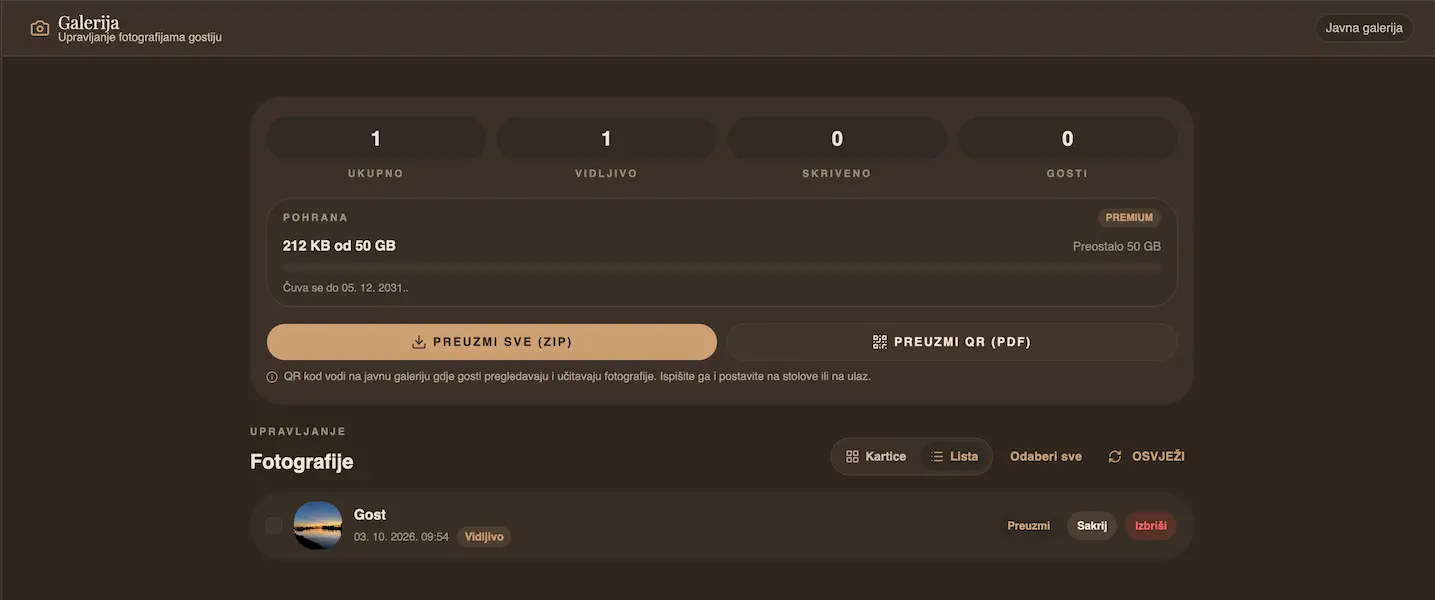
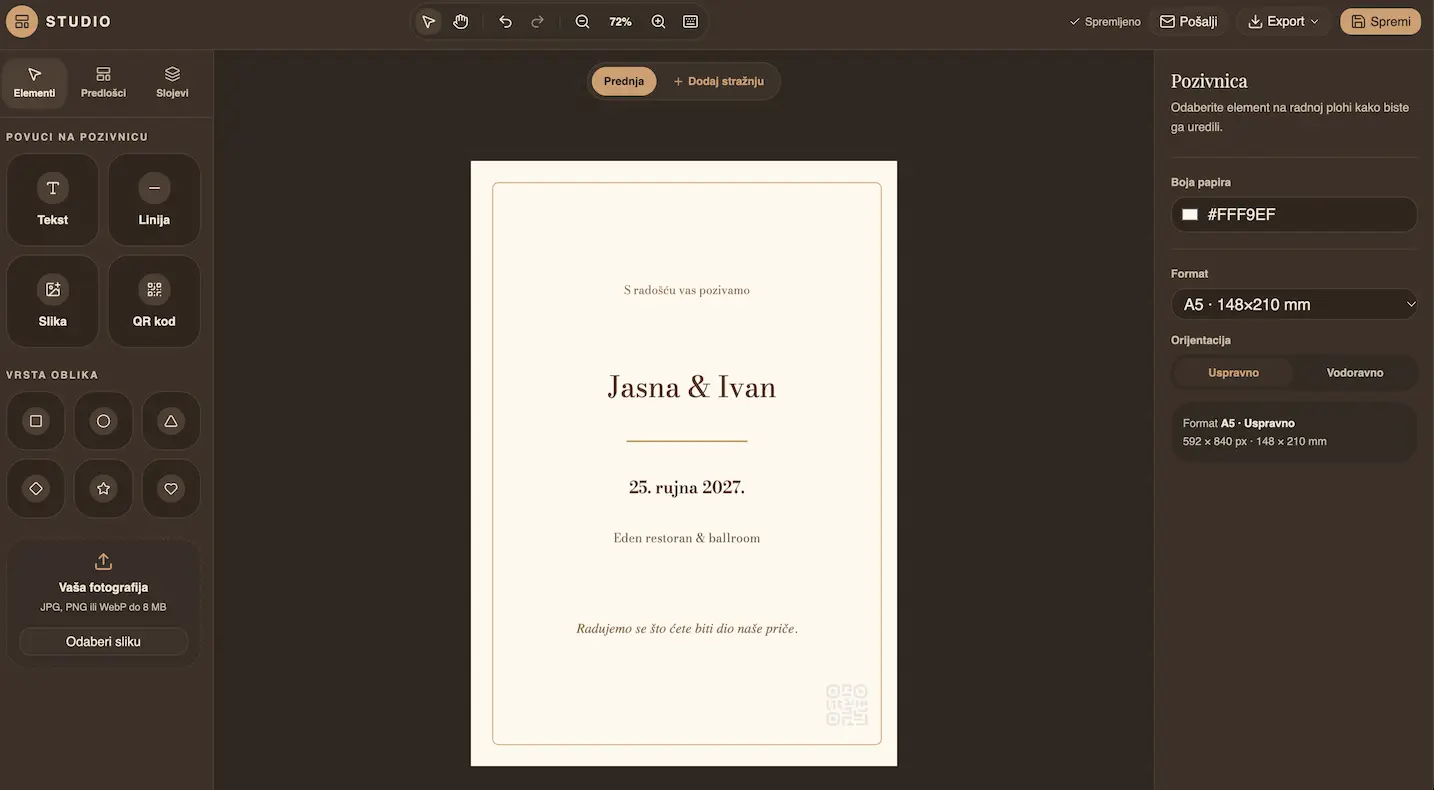
App colours
With Premium, choose the colour palette of the whole app — warm, pink, blue, green, burgundy or black, whatever suits you.
RSVP and QR
Confirmations without the back-and-forth.
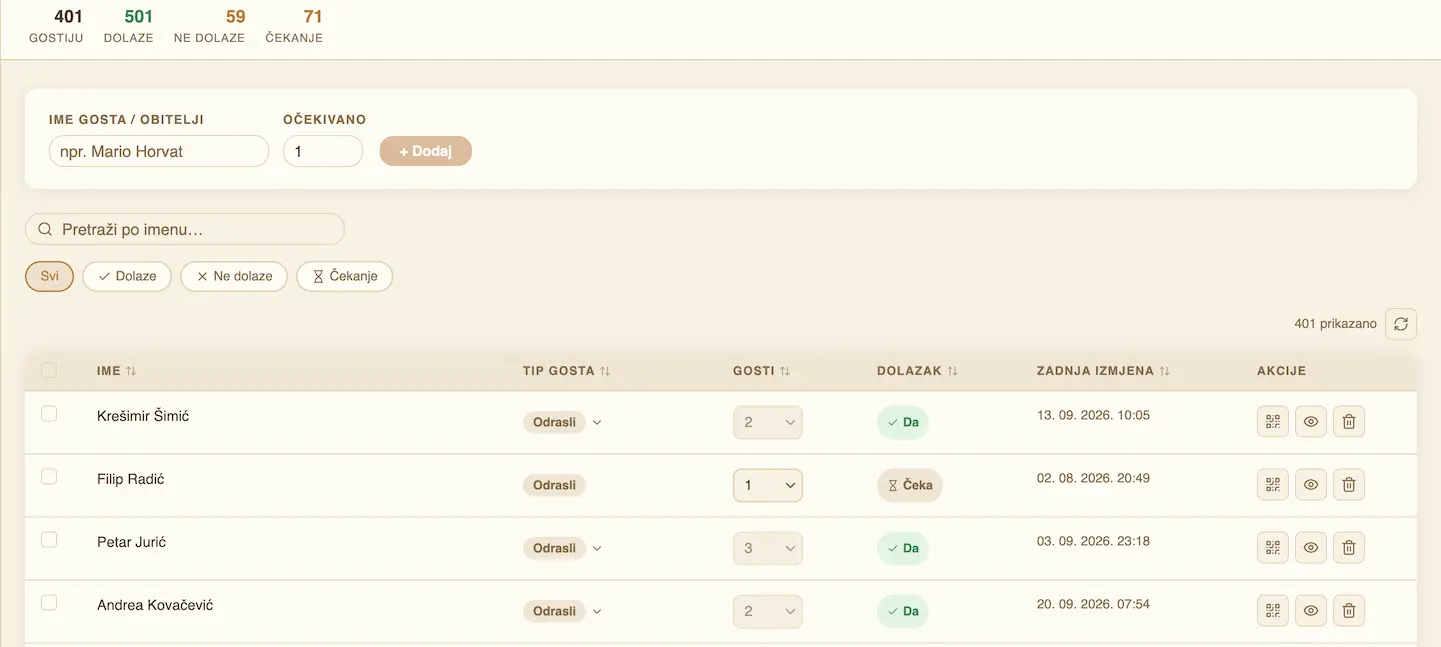
Every guest gets a personal link and QR code for their invitation. They choose whether they're coming, with whom and how many people — and you get an email and a device notification, plus a clear list of who confirmed.
- A personal page and QR for each guest
- Number of adults, children and companions
- Email and push notification on every RSVP
QR studio
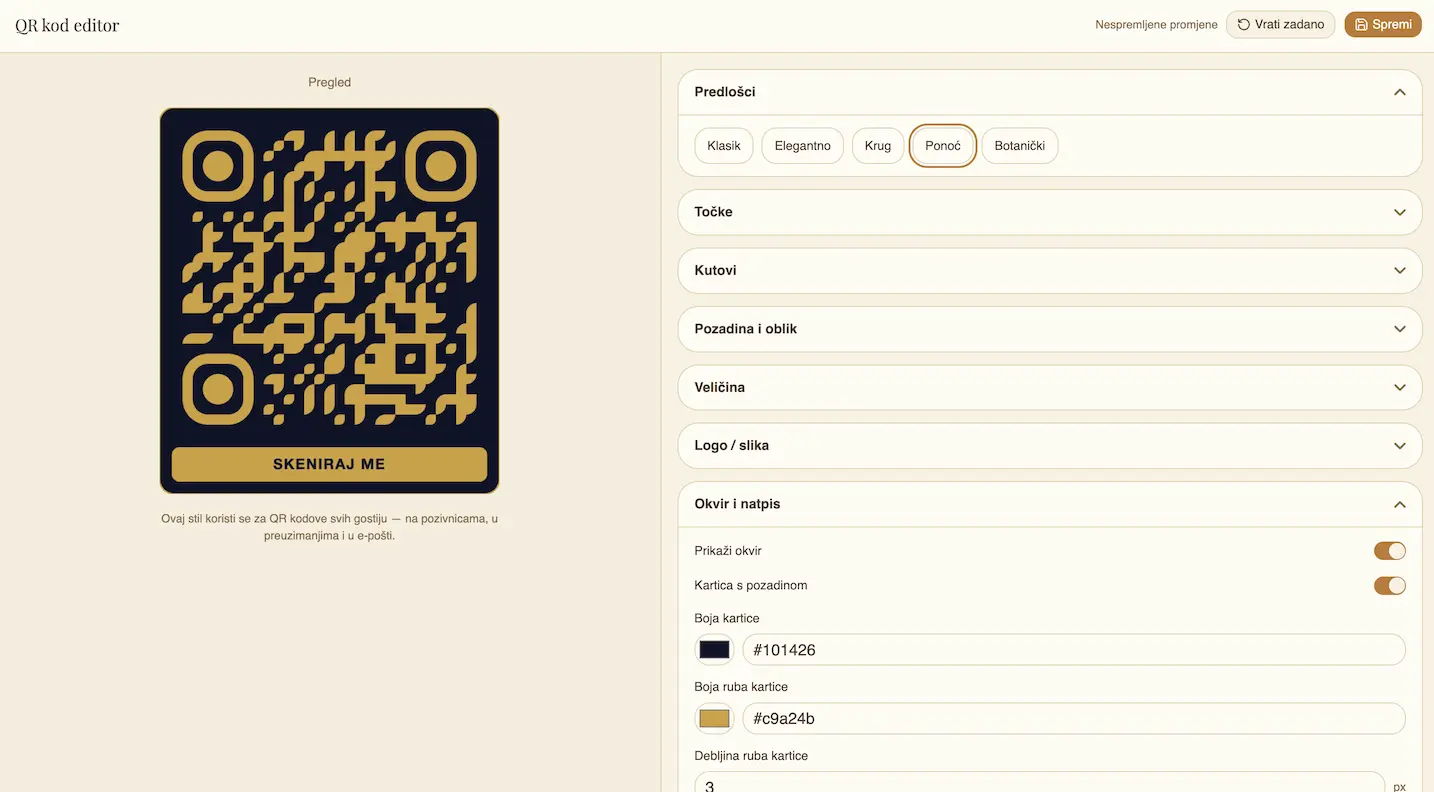
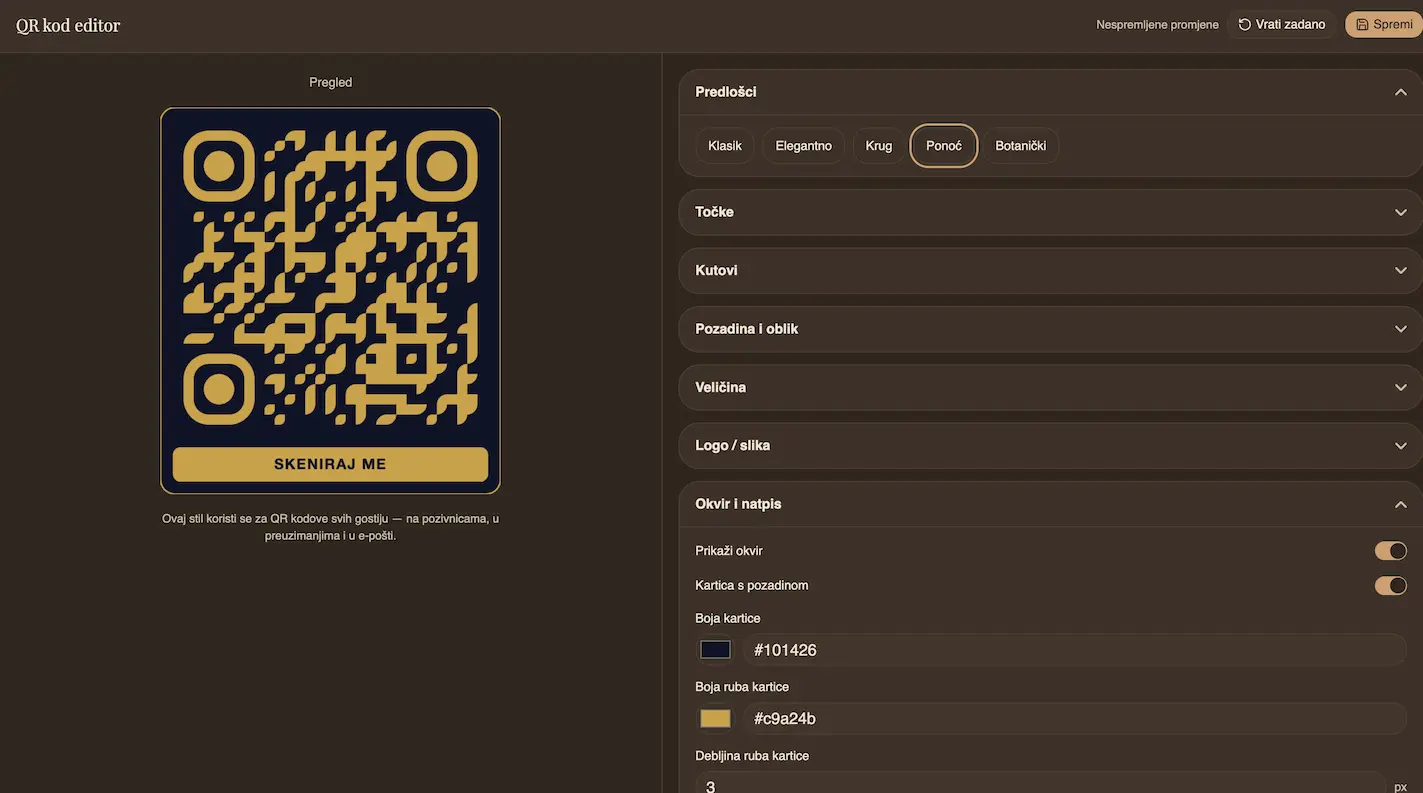
Design your QR codes — then place them on the tables.
Every guest gets their own QR code, styled with your colors, gradients, shapes and logo. Print the cards and place them on the tables — guests scan and add photos to your gallery right away.
- Colors, gradients, dot and frame shapes
- Your logo and a label with the guest's name
- Print cards (PNG, ZIP, A4 PDF) for the tables
Seating chart
A seating chart that finally makes sense.
Arrange guests by dragging them onto the canvas, respect table capacities and track who's where. Export a printable list or the chart as an image in one click.
- Drag and drop guests
- Capacity and warnings for overfull tables
- Export to PDF and PNG
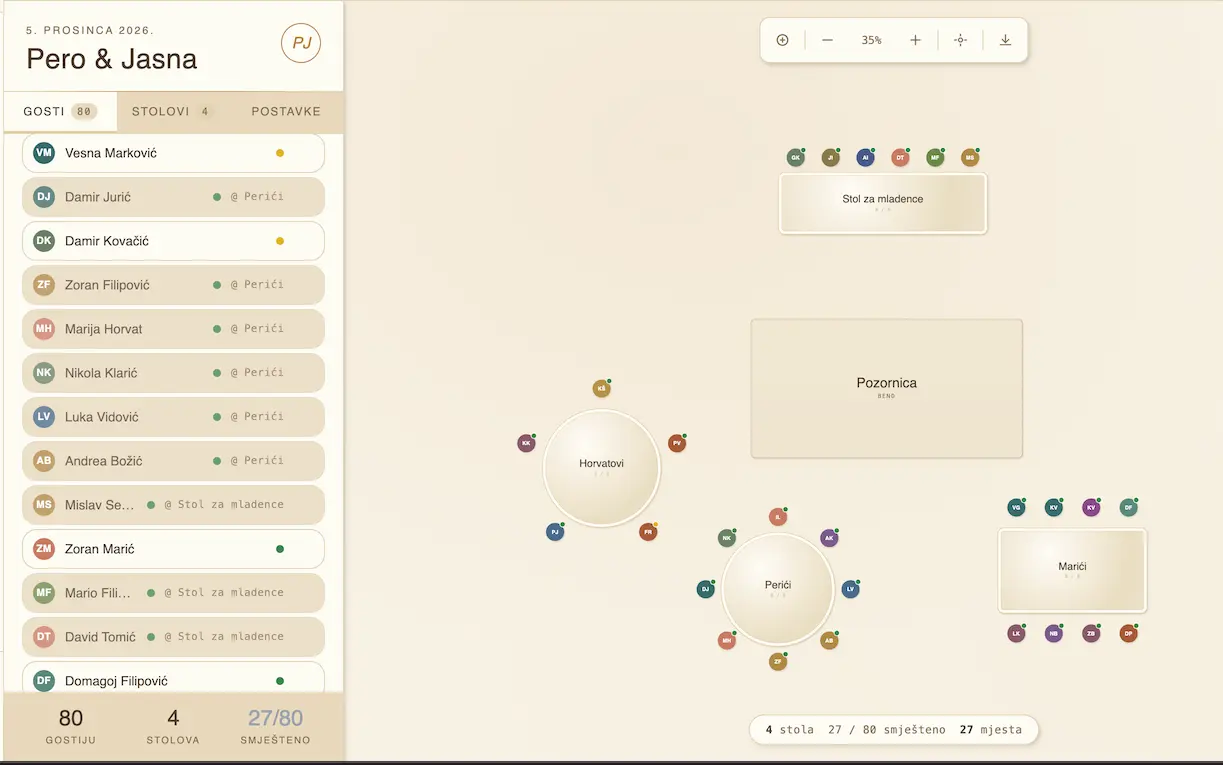
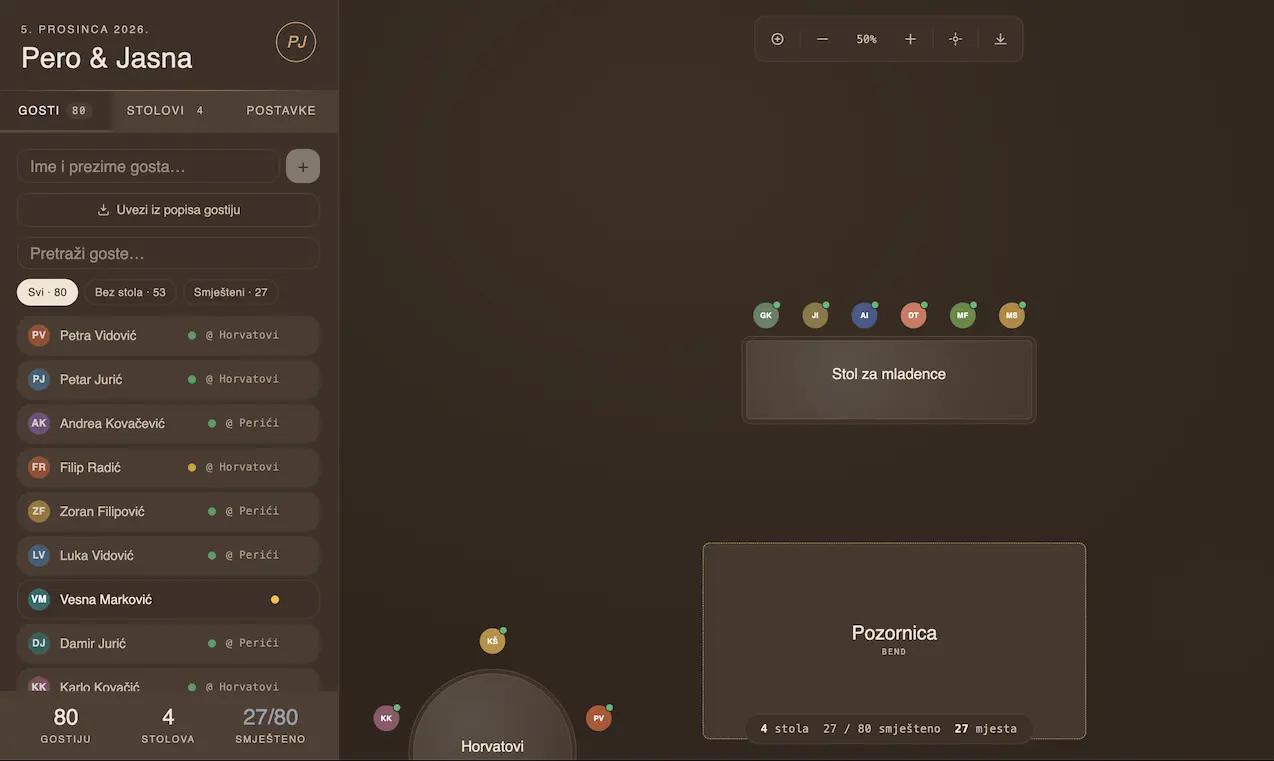
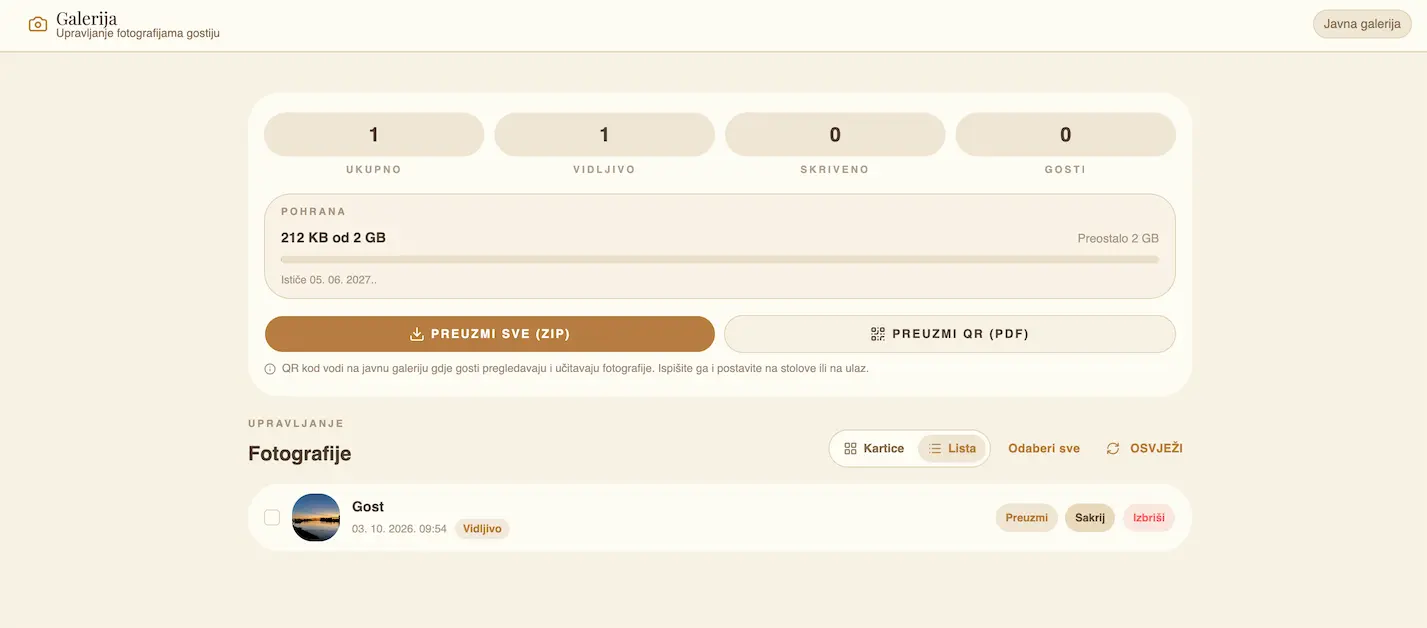
Photo gallery
Guest memories, in one place.
Guests upload photos and video straight from their phones, even without a steady connection. You decide what's visible, and we handle optimization and secure storage.
- Upload from phone and in the background
- Approve and hide photos
- Automatic optimization for speed
Invitation studio
Invitations that look like you.
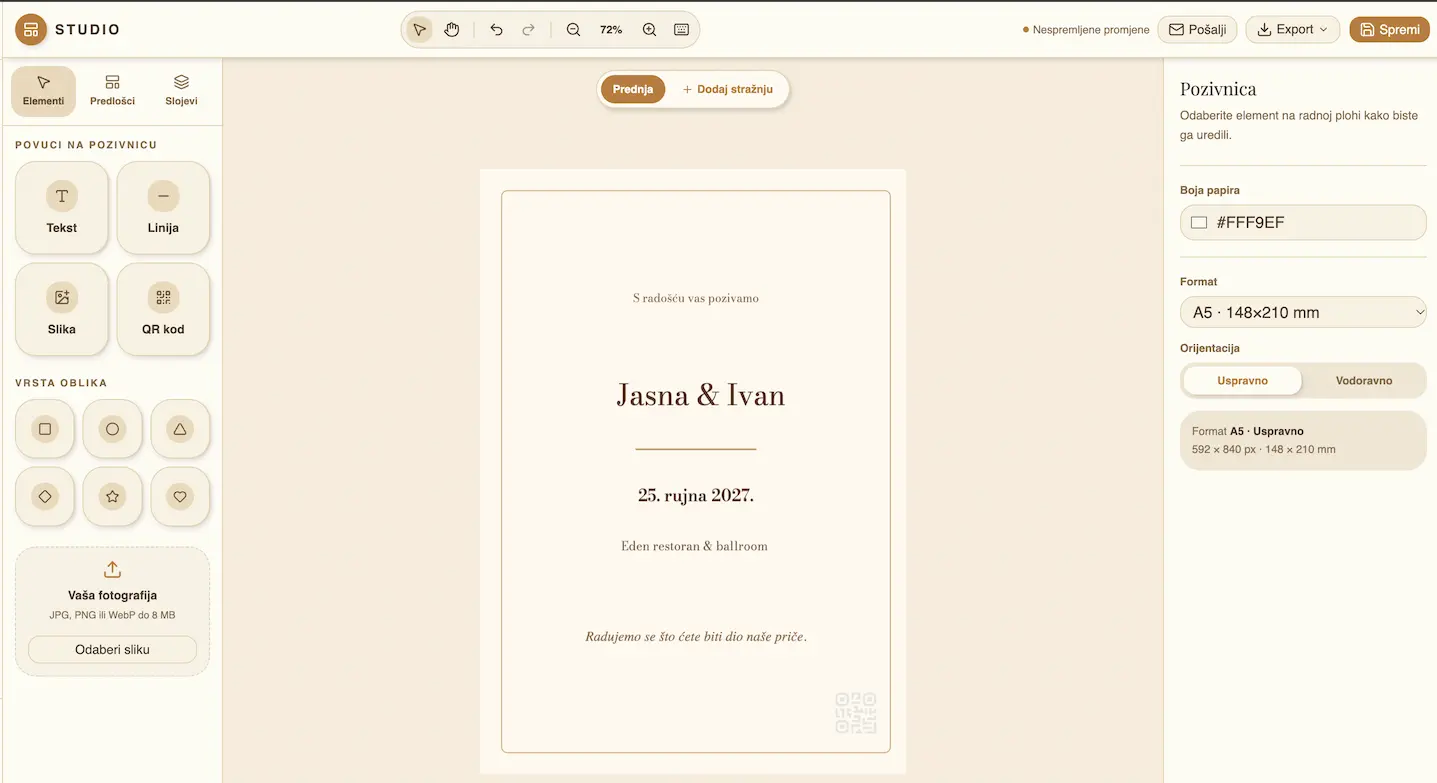
Compose the front and back of your invitation with templates, fonts and precise alignment. Export in high resolution or send it to guests by email.
- Templates and layers with guides
- Print-ready export
- Send invitations by email
How it works
From sign-up to the first dance.
Three steps and your planning is in one place — no course, no technical hassle.
- 01
Set up your wedding
Register and, through a short guide, enter names, dates, witnesses and settings. Your public address is ready right away.
- 02
Invite your guests
Download QR codes, send invitations by email or share the link — everyone opens their own page.
- 03
Follow everything live
RSVPs, seating, expenses and photos update in real time, on phone and computer.
Pricing
Everything essential is free. Premium only if you want it all.
You can plan and run your wedding from start to finish without paying a cent. Premium is optional and only covers more storage, videos, longer retention and app colours of your choice — because hosting and storage aren't free for us either.
Free
Everything you need to organize.
€0free forever
- QR invitations and RSVP for every guest
- Seating chart with export
- Budget, gifts and tasks
- Invitation studio
- A public wedding page
- Photo gallery — 2 GB, photos only
- Gallery kept for 6 months
Premium
If you want absolutely everything.
€10one-time, per wedding
About the price of two coffees.
- Everything in the free plan
- 50 GB of storage (fair use)
- Videos up to 250 MB
- Gallery kept for 5 years
- No automatic deletion of memories
- One-time payment, no subscription
- You help keep Svatovi free
- App colours of your choice (10 palettes)
Premium is never required to organize your wedding. You only pay if you want more storage, video, longer retention and your own colours — €10 covers storage and maintenance, and everything else stays free.
Compare plans
| Feature | Free | Premium |
|---|---|---|
| Wedding planning | Included | Included |
| QR invitations and RSVP | Included | Included |
| Seating chart | Included | Included |
| Invitation studio | Included | Included |
| Photo gallery | 2 GB · photos only | 50 GB · photos and video |
| Videos | — | Up to 250 MB |
| Gallery retention | 6 months | 5 years |
| App colours | — | 10 palettes |
| Price | €0 | €10 one-time |
For guests
Your guests get their own page.
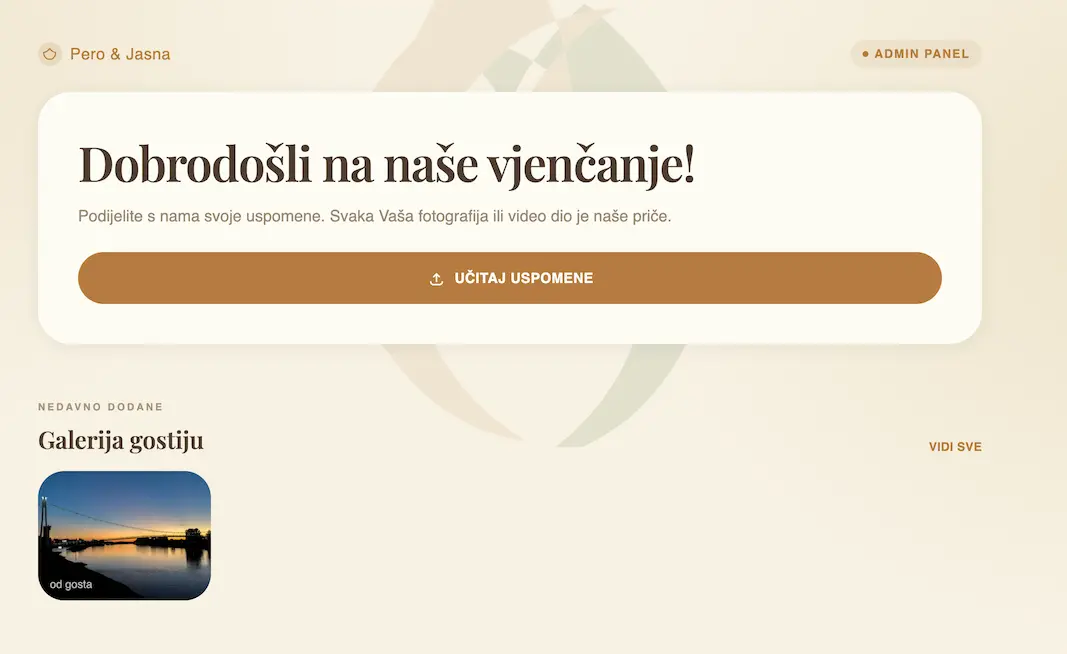
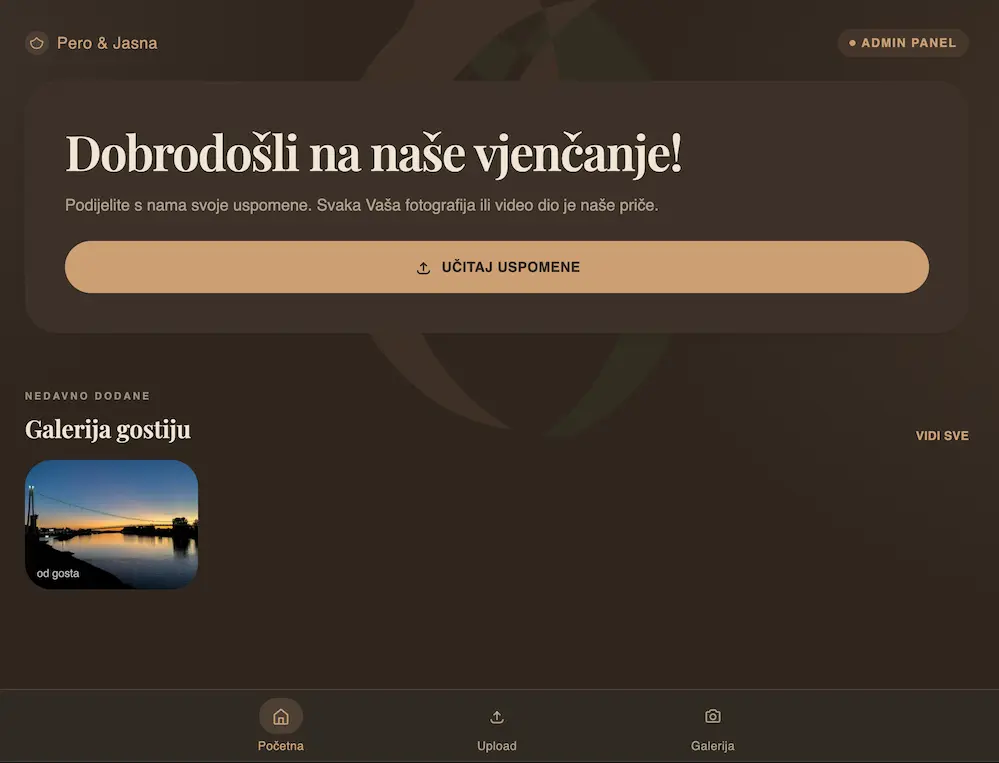
Every wedding gets its own public address — e.g. /w/ana-i-marko— where guests check the details, confirm attendance and share photos.
- Photo browsing
- Uploading memories
- Works like an app
- Privacy and control
Questions
Everything you want to know.
Can't find your answer? Get in touch and we'll be happy to help.
Do guests need to install an app?
No. Guests open everything in a browser via the QR code or link. If they want, they can add the page to their phone's home screen like an app.
How do guests confirm attendance?
They scan the QR code on their invitation or open their personal link. On their page they choose whether they're coming, with whom and how many people, and you get an email and a notification on your device.
Can guests add photos?
Yes, if you enable it. Guests upload photos and video, and you review, hide or approve them. Photos are automatically optimized for speed.
Is the seating chart portable?
Yes. Arrange the seating by dragging, then export the list to PDF or the chart itself as an image for printing.
Can I create my own invitation?
Yes. The invitation studio offers templates, layers and fonts for the front and back, with export and email sending.
Can I change the details later?
Absolutely. Names, dates, witnesses, RSVPs, the gallery and the seating can be changed at any time in Settings.
Is Svatovi free?
Yes. Organizing the entire wedding — invitations, RSVP, seating, budget, gifts, tasks and the photo gallery — is completely free and requires no credit card. Premium is an optional extra, never a requirement.
What do I get with Premium and how much does it cost?
Premium is a one-time €10 per wedding: 50 GB of storage, videos up to 250 MB, 5-year gallery retention and app colours of your choice (instead of 2 GB, no video, 6 months and the default warm palette on the free plan). You only pay if you want it all — about the price of two coffees.
Can I change the app colour?
With Premium you can choose the colour palette of the whole app — warm, red, burgundy, pink, purple, blue, green, yellow, grey or black. The change applies instantly across the app.
Let organization be part of the joy.
Create your page today and run the whole wedding from one calm place.